
Hướng dẫn sử dụng LMS
How to Create Discussions in an LMS Course
A detailed guide to creating and managing discussions in an LMS course, helping to boost interaction, encourage learning exchange and build an effective learning community.
By Công ty CP Công nghệ Giáo dục Rebo · January 21, 2026
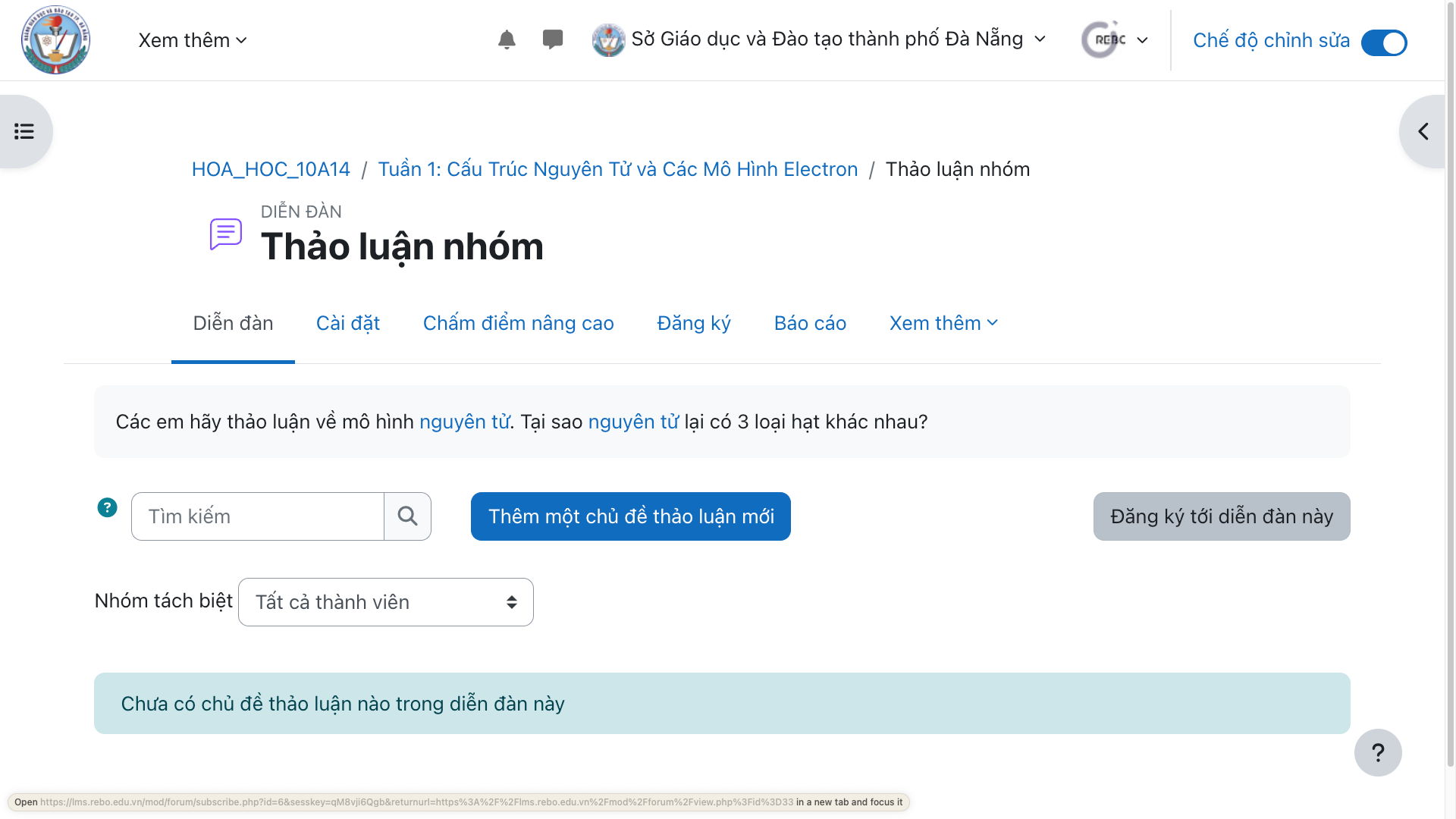
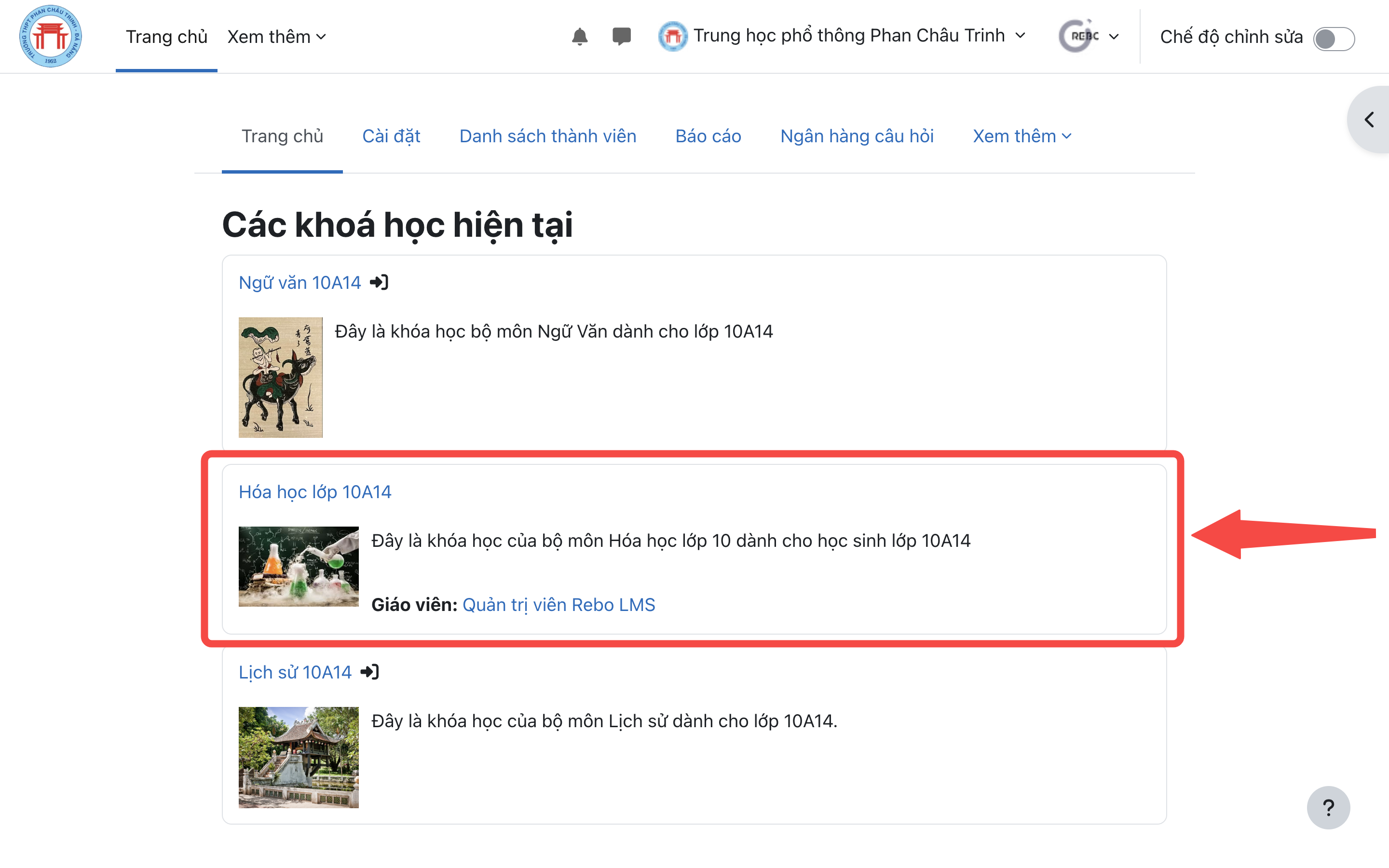
Step 1: Go to the course where you want to add a discussion
How to create discussions in an LMS course is the main topic of this article. It provides detailed information and guidance for teachers, students and schools applying digital education technology. The article sets out the specific steps, important notes and practical suggestions for use in class, helping readers grasp the core content quickly and put it into practice right after reading.
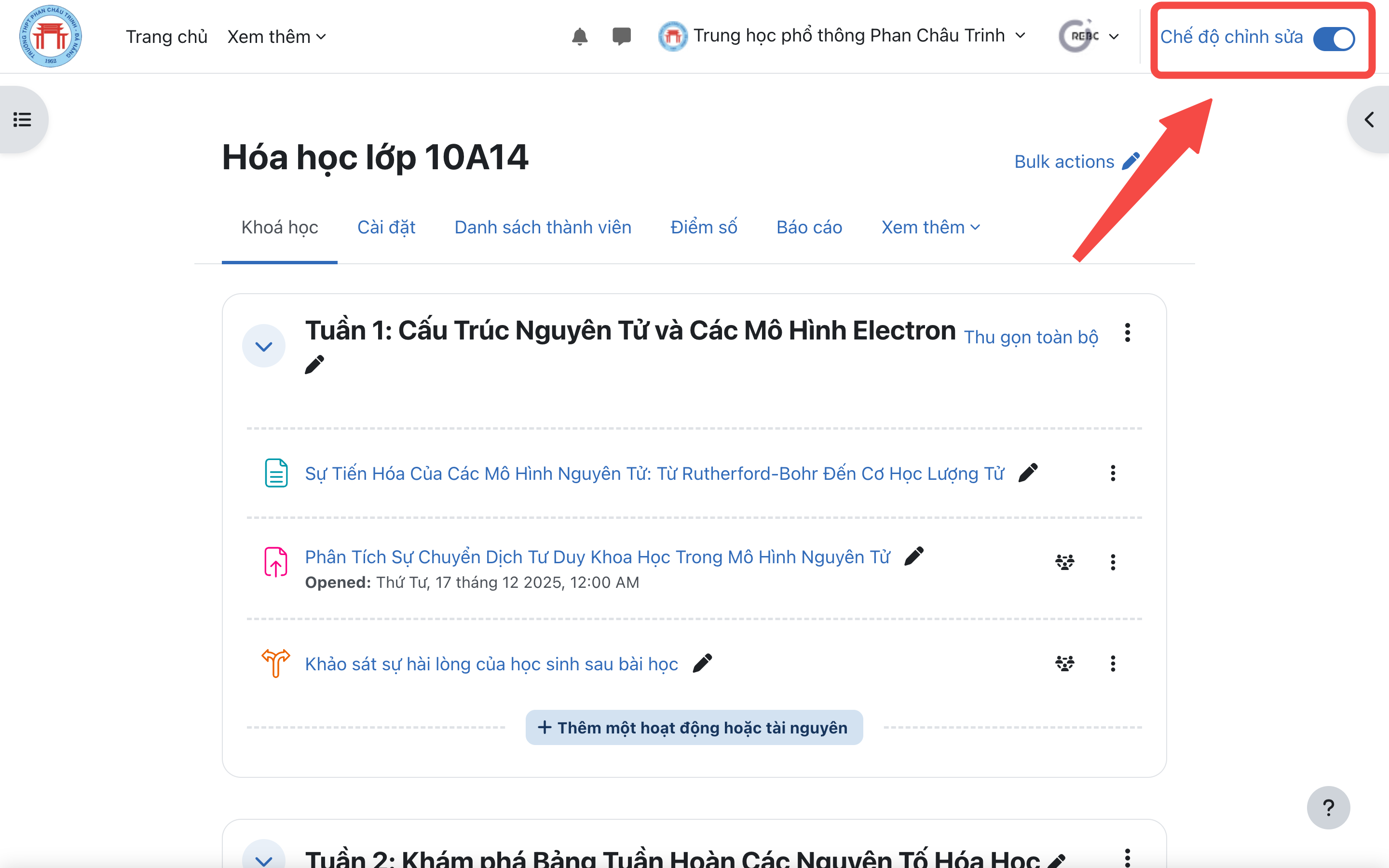
Step 2: Switch to "Edit" mode.
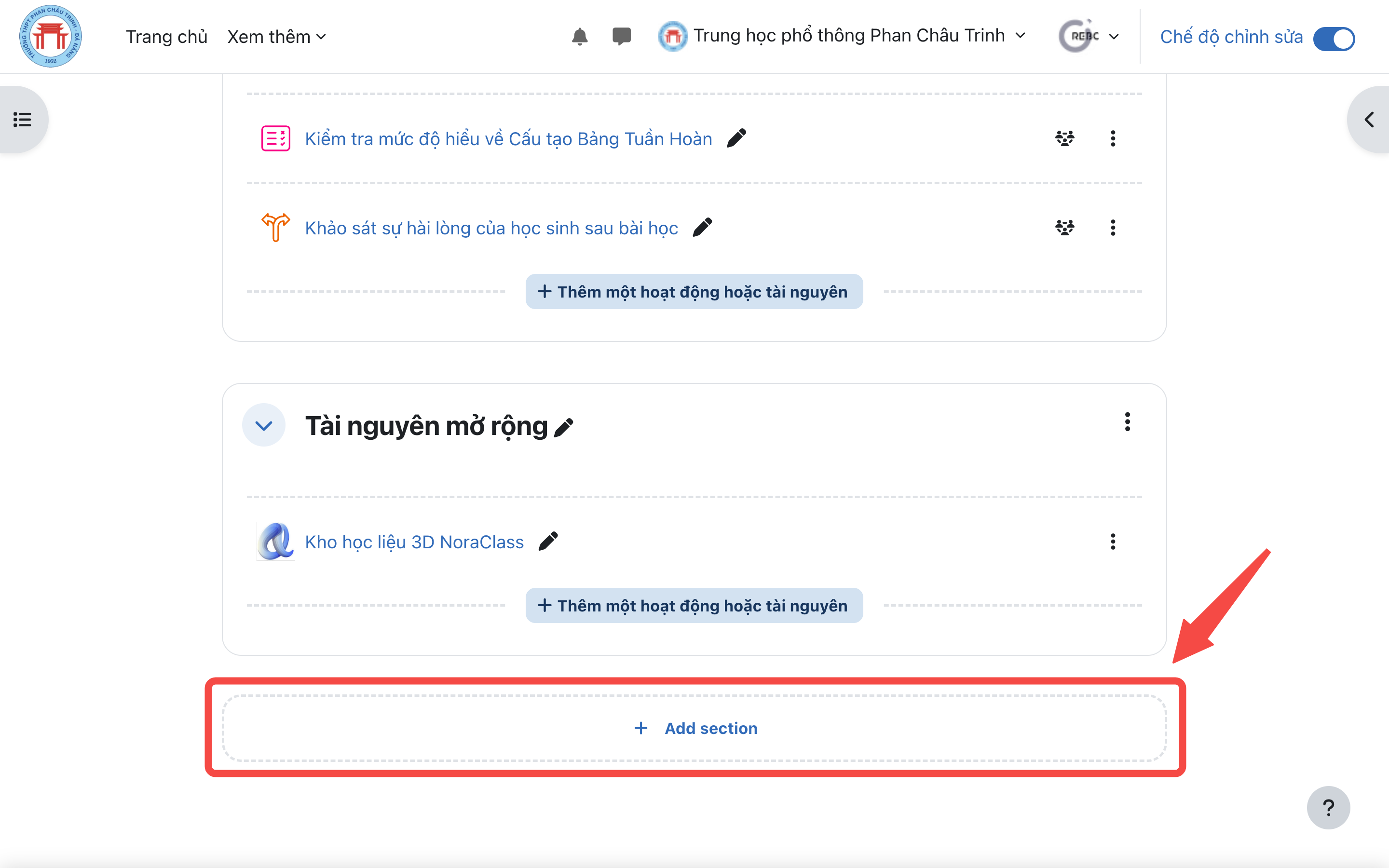
Step 3: Click the button to create a section if the course does not have one yet
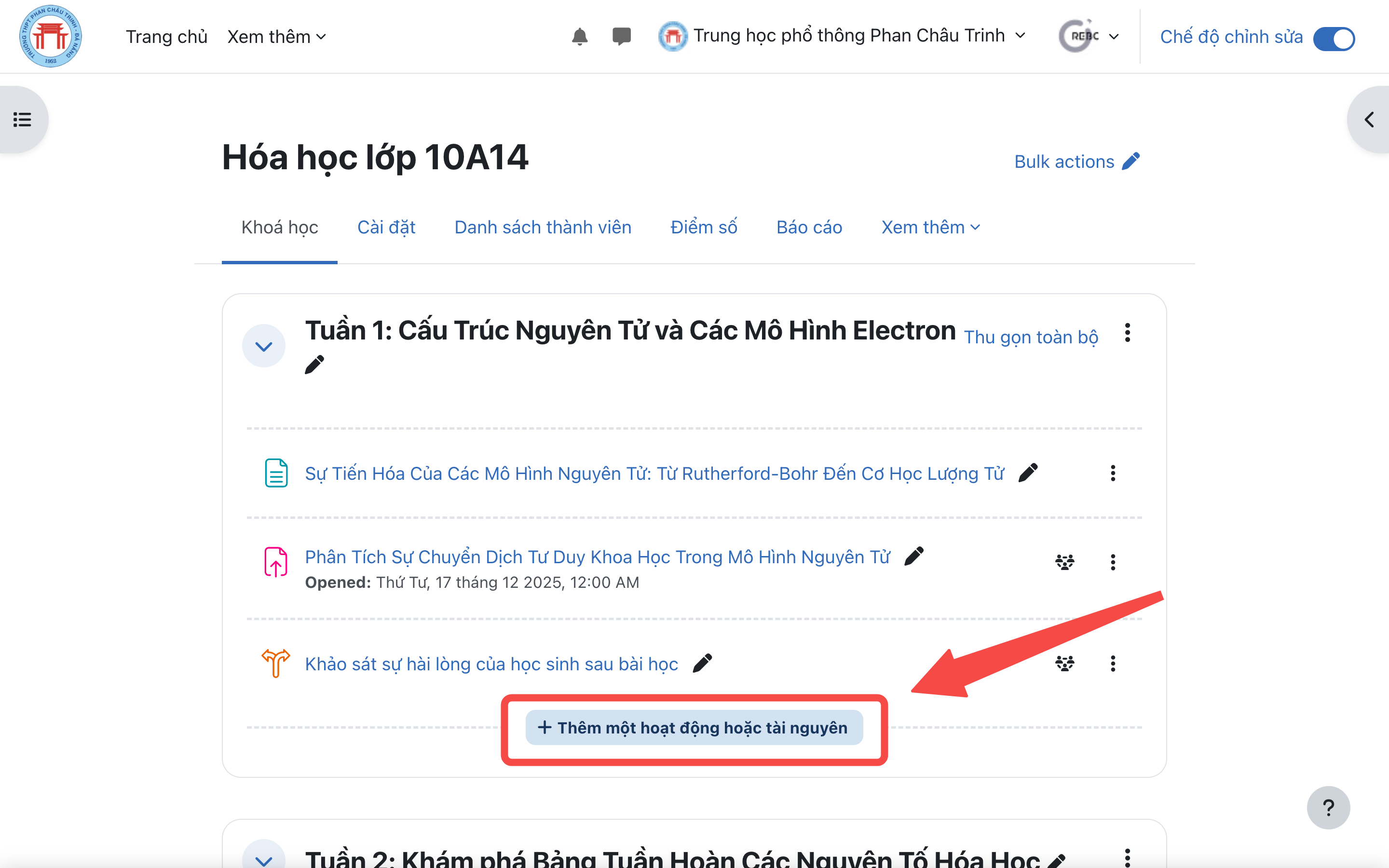
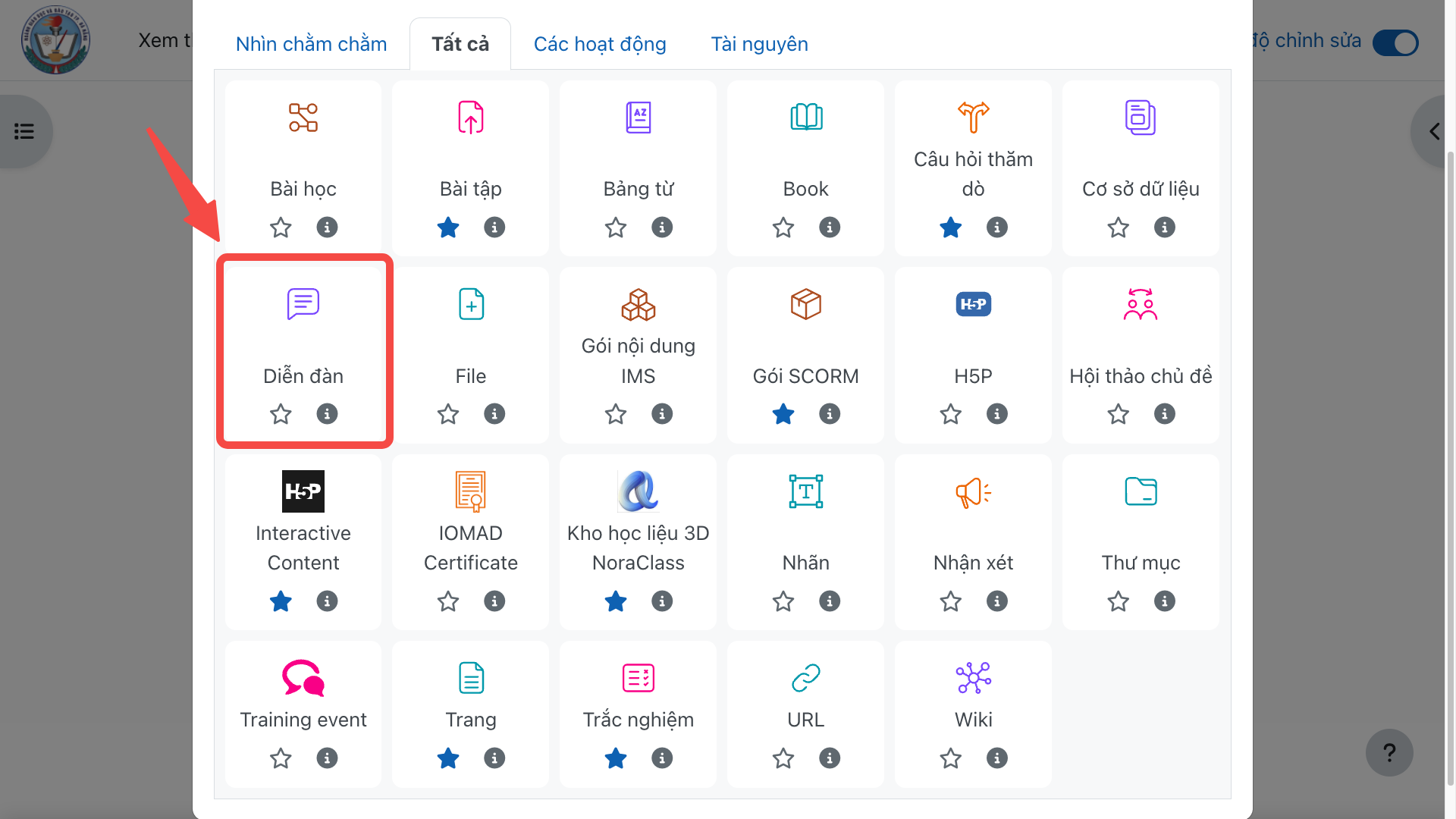
Step 4: Click "Add an activity or resource" to choose the learning resource you want to add to the section.
Step 5: Select "Forum" to add a discussion to the section.
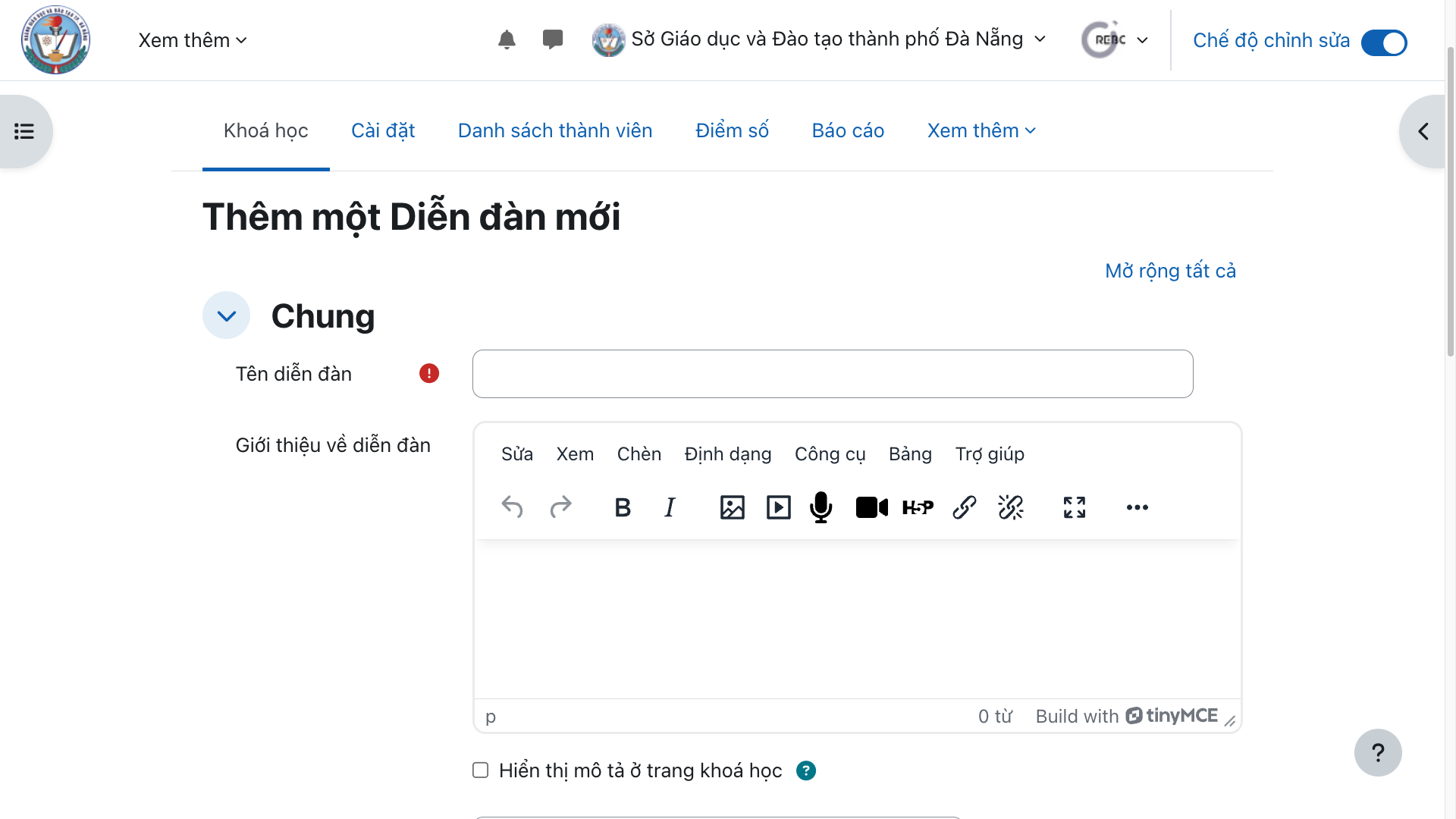
Step 6: Enter the discussion name and content, then click "Save and display" to add it to the section.
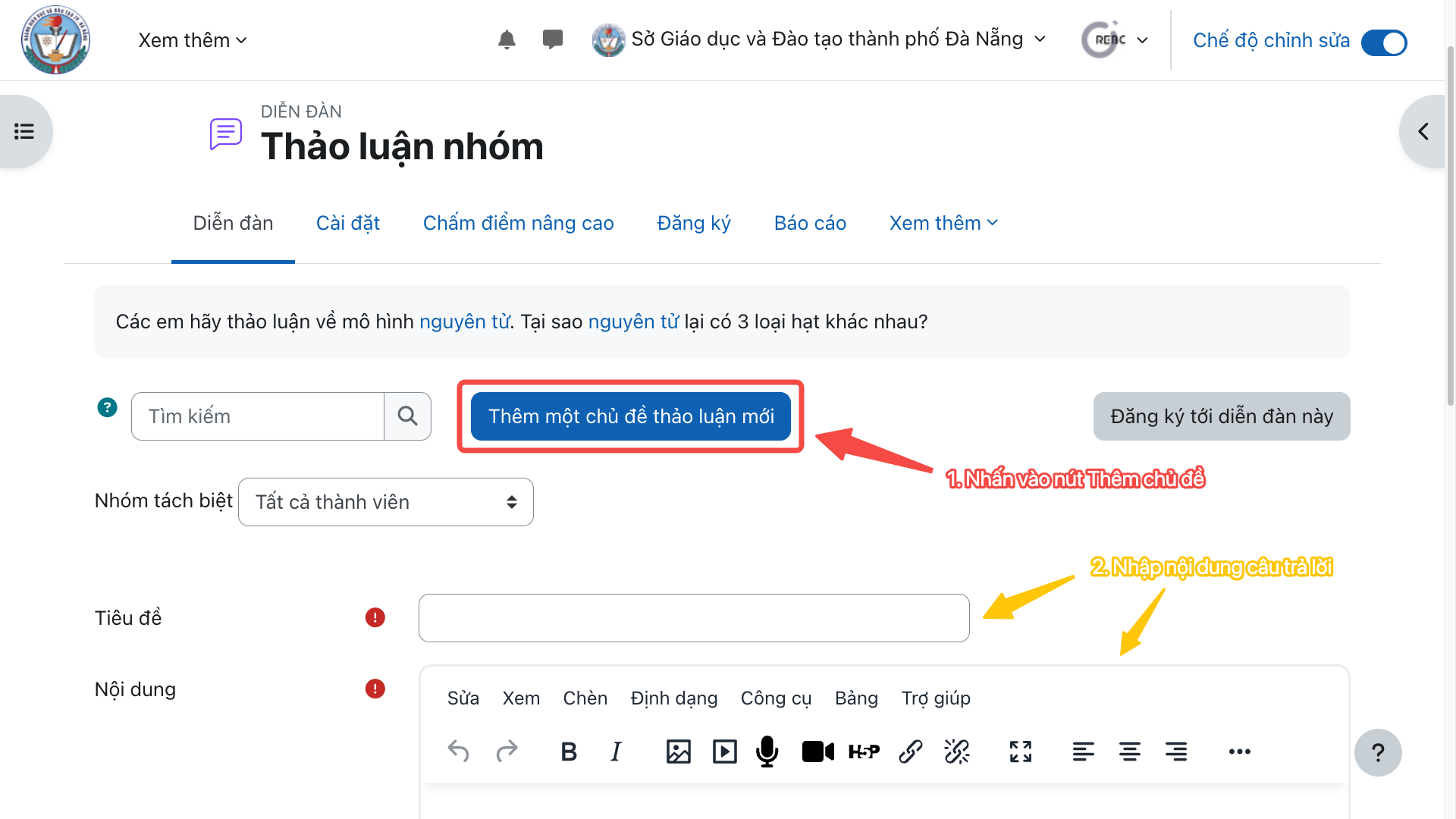
How can students take part in a discussion by replying to the discussion questions?
Conclusion and suggestions for implementation
In the context of digital transformation in education, how to create discussions in an LMS course is attracting growing attention from teachers, students and schools. Mastering this content helps streamline the teaching process, increase interaction in class and raise the quality of outcomes in line with developing students' competencies.
Need advice?
Leave your details and we will get back to you.