
Hướng dẫn sử dụng NoraClass
Introduction to NoraClass 3D Lectures
NoraClass provides a visual, interactive learning environment where teachers and students can explore knowledge through vivid 3D lectures. Below are the main actions that teachers and students can take to get the most out of the learning experience.
By NoraClass - Thư viện & Công cụ thiết kế bài giảng 3D · August 6, 2025

Basic Operations with 3D Models
Students and teachers can interact directly with 3D models using the mouse (or touch on touch devices):
Rotate: hold the mouse button and drag to view the model from different angles. This makes the structure of the parts and how they relate to each other clearer.
Zoom in/out: use the mouse wheel or a pinch gesture on the touchpad or screen to zoom the model in or out.
Move: hold the Shift key and drag the mouse to move the model around the screen.
These actions help students practise analytical, critical and logical thinking, as well as spatial reasoning.
Detailed Information about the 3D Lecture
Move the mouse over the NoraClass logo in the top-left corner of the presentation screen and you will see an overview of the lecture: its name, author, short description, identifier under Regulation 791/QĐ-SGDĐT, creation date, number of views, and category labels (subject, grade level, status), and more. This helps you quickly judge whether the content fits your needs.
![[IMG]](https://cdn.sanity.io/images/jv13pgfv/production/02432b830e505be161e4a7035d20c86403b4e98a-1280x800.png)
Using the content explanation window
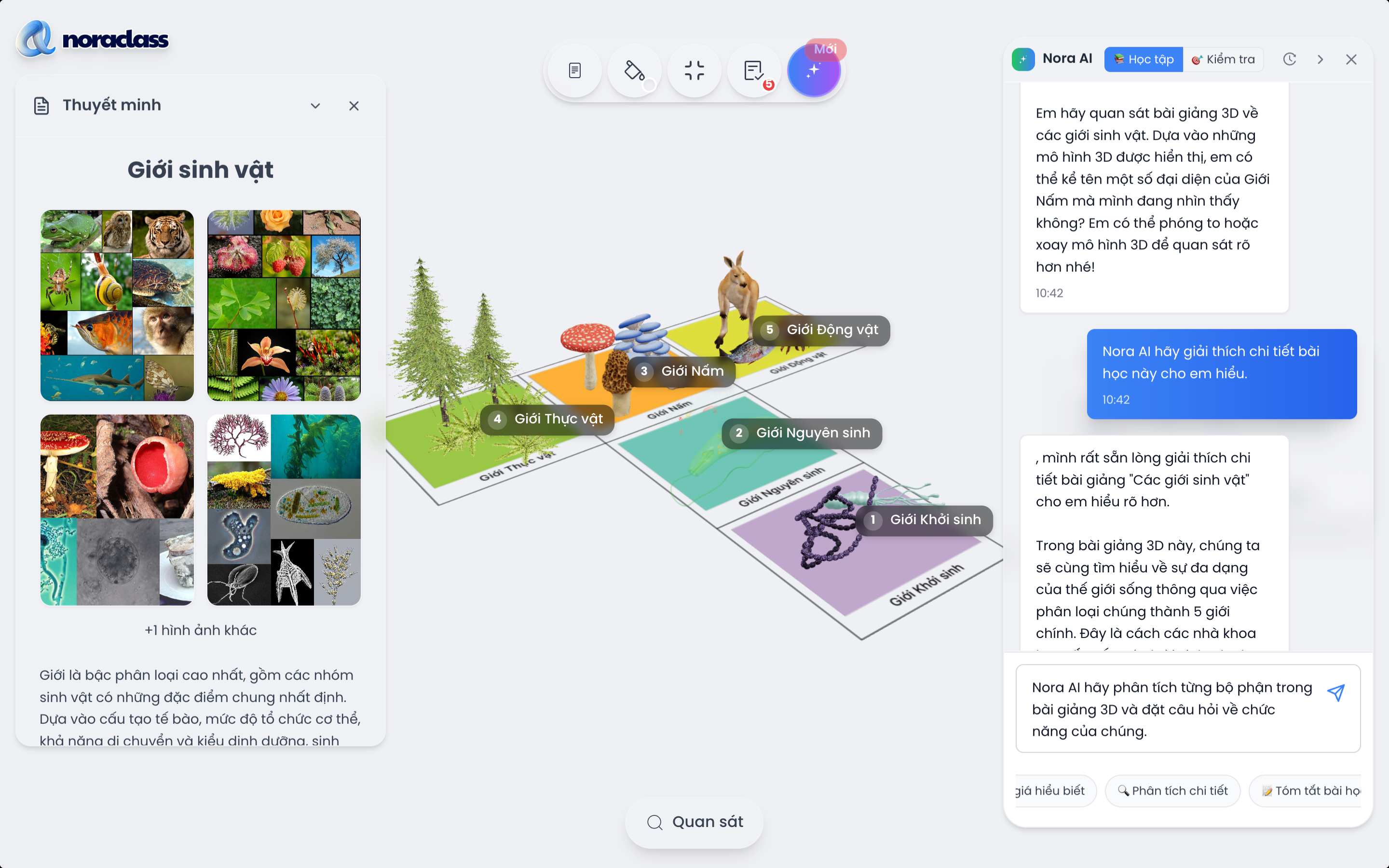
This window is on the right side of the screen. It shows a detailed explanation for the model being observed, including an image of the model, the explanation title, and a paragraph describing the lecture content being presented.
This is the core content that helps students understand the nature of a phenomenon or model, and helps teachers read and explain the text more clearly and easily during the lesson.
![[IMG]](https://cdn.sanity.io/images/jv13pgfv/production/2d361e66d5cf58e51ca6016096f45a6a9288cd38-1280x800.png)
Viewing annotations on the 3D model
Annotations can be attached directly to each component of the 3D model.
When you interact with the model, these annotations appear to clarify the structure, function or key information of each component of the 3D model.
Controlling simulated experiments
After clicking the "Observe" button below the screen, the 3D model control panel appears on the left of the screen. If the model has a "Simulation" mode, you can watch and control the movements or phenomena taking place (for example, an experiment heating white sugar).
These simulation controls help students visualise and remember abstract scientific concepts such as atomic models, the propagation of sound waves, sliding friction and gravitational force.
Separating the layers of the 3D model
The "layer separation" feature lets you clarify the structure and the relationships between the parts of the model.
Teachers can use this function during the presentation to control the teaching flexibly and interact with students, especially useful when analysing complex concepts in depth.
Separating the layers of a 3D model not only helps you observe details but also trains analytical, critical and logical thinking.
Nora AI learning and lecturing assistant
Personalised learning: Nora AI offers three flexible learning modes (Learn, Challenge, Explain), helping students choose the study method that suits them, while supporting teachers in differentiating their teaching activities.
Visual interaction: students are guided to observe the 3D model vividly, while teachers can use Nora AI as a visual tool to present and teach effectively.
Flexible class organisation: teachers can guide students to use Nora AI as a personal supplementary study tool at home, or integrate it into the lesson in class as an interactive group activity.
Closing remarks
By mastering these actions, teachers and students can make the most of the potential of NoraClass 3D lectures and turn every lesson into a visual, engaging experience of discovering knowledge.
Need advice?
Leave your details and we will get back to you.