
Hướng dẫn sử dụng NoraClass
How to Organise Classroom Activities with NoraClass
This guide shows teachers how to use NoraClass 3D learning materials and tools to design learning activities before, during and after class, following a flipped-classroom model, on the Cohota LMS platform.
By NoraClass - Thư viện & Công cụ thiết kế bài giảng 3D · August 6, 2025

Before-class activities with NoraClass
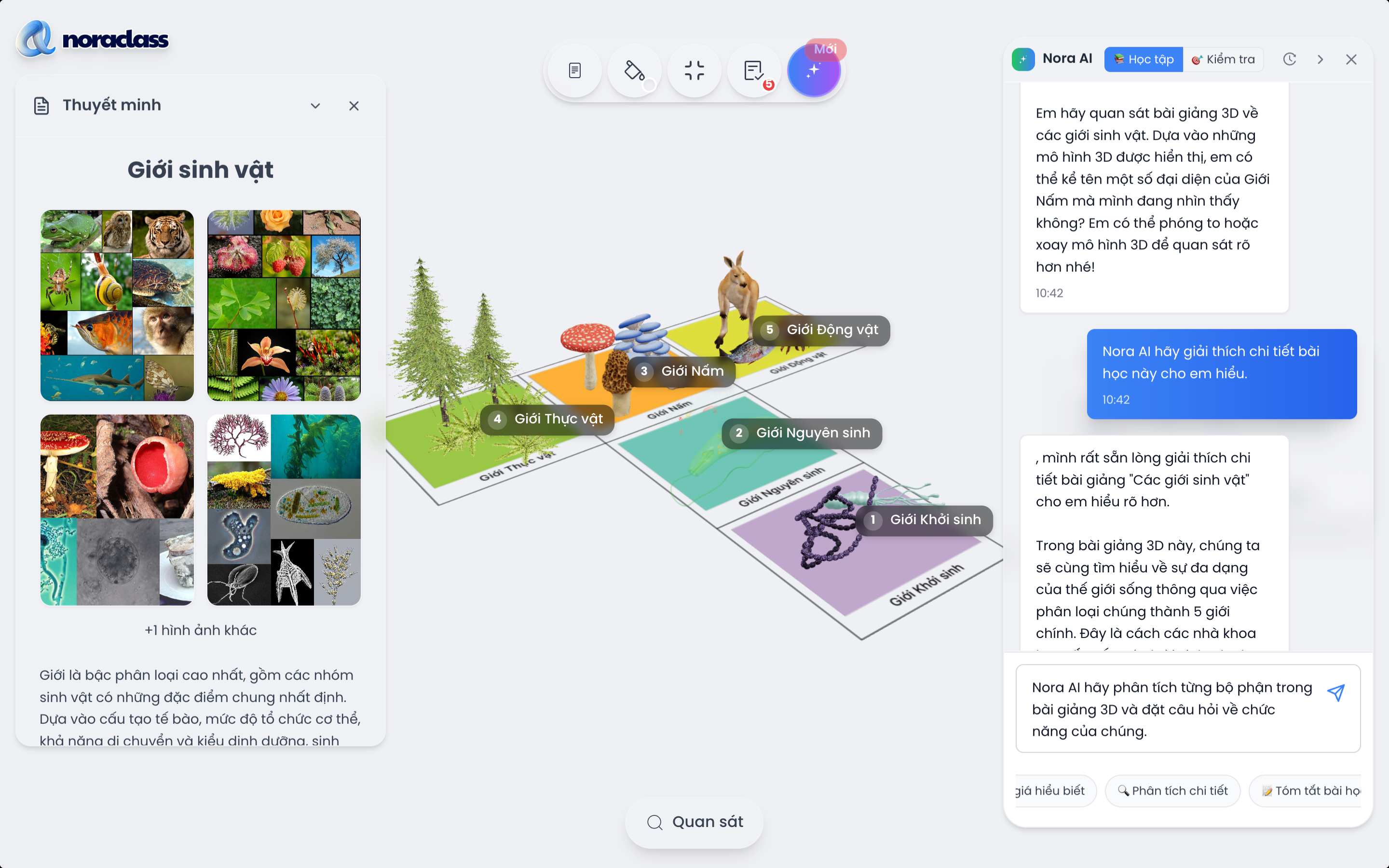
Watch the 3D lecture before class, at home
Teachers can create a Page item containing the 3D lecture content so students can easily access and preview the lesson at home, supporting effective preparation before coming to class.
If you are not yet sure how to add a 3D lecture to a Page item, please refer to the guideHow to Add 3D Lectures in a Module to do it correctly and effectively.
Answer the 3D lecture's quiz questions before class
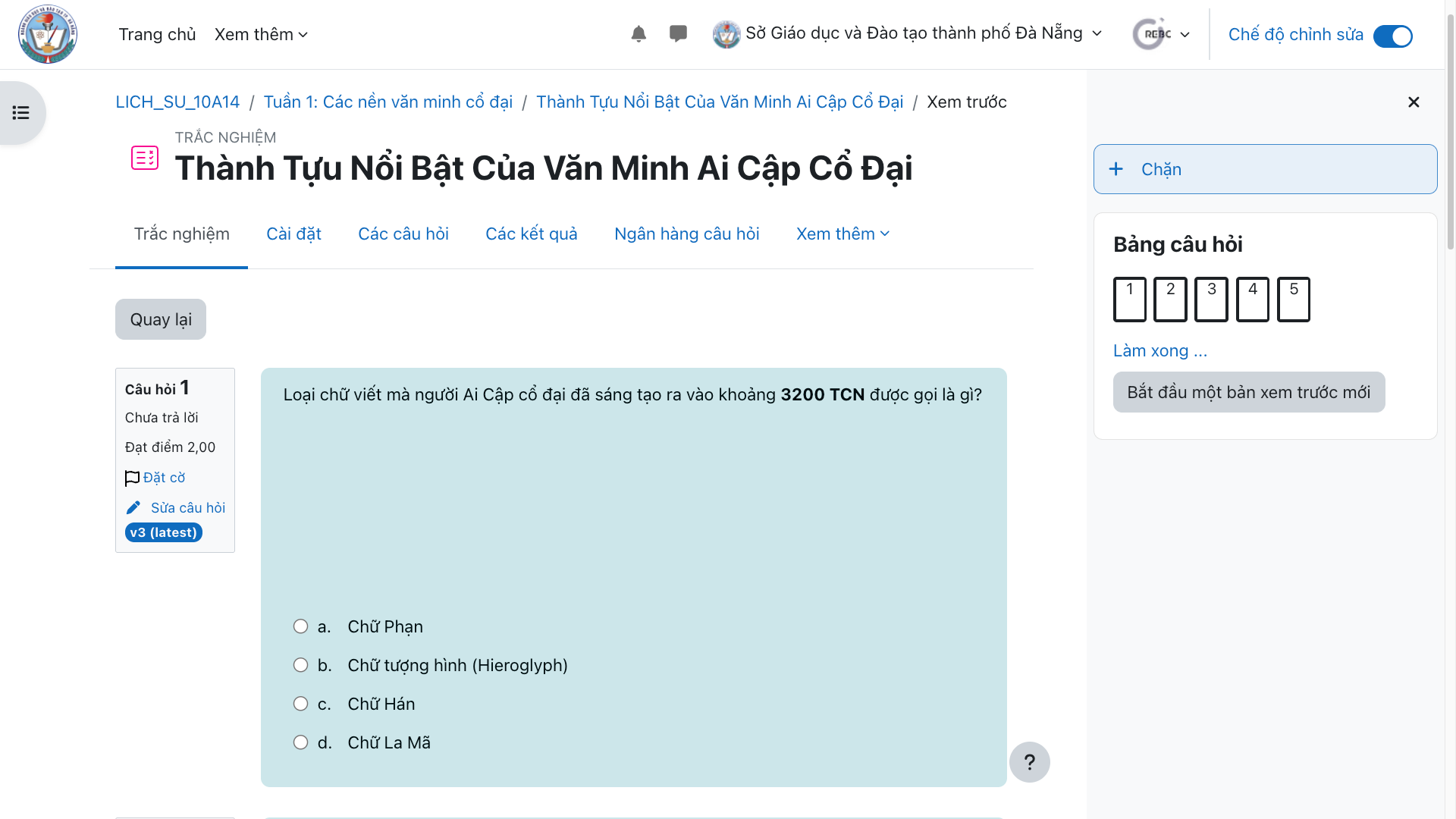
Teachers can assign the quiz questions that come with the 3D lecture to the Assignments section and ask students to complete them to earn points before class, to check their preparation and initial understanding.
If you are not yet sure how to assign the quiz questions of a 3D lecture in the Assignments section, please refer to the guideHow to Assign Exercises from a 3D Lecture to Students to do it correctly and effectively.
Discuss the 3D lecture content before class
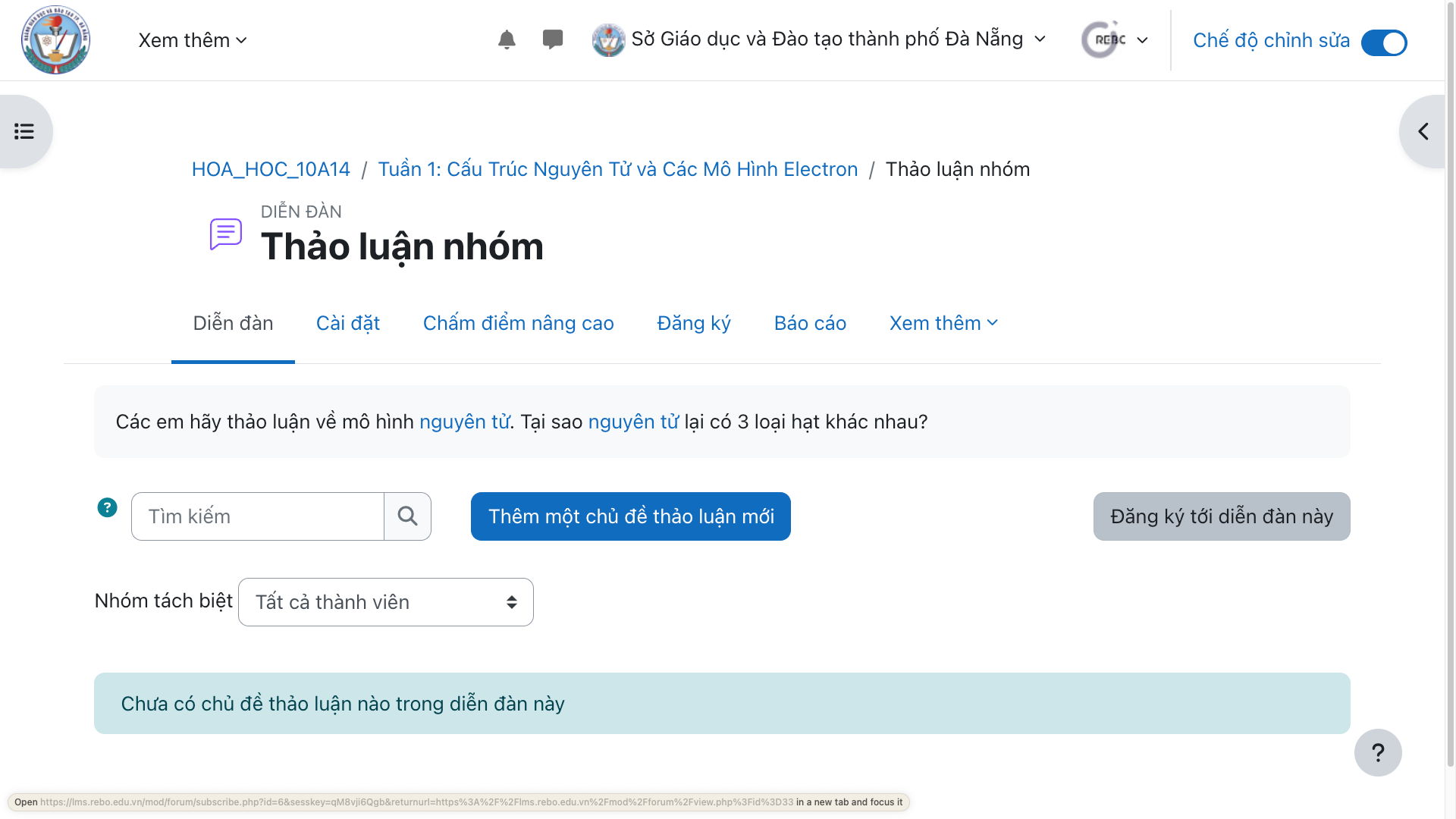
Teachers can create a Discussion section with related questions, asking students to exchange views and answer based on the 3D lecture content provided before the lesson, to stimulate thinking and prepare them better to absorb knowledge in class.
Sample discussion content
Discussion name: Discussion on the diversity of viruses
Discussion content:
Based on the lecture "The diversity of viruses", look at the 3D models and discuss the following questions:
- What shapes do you see viruses have?
- Which virus's shape impresses you most? Explain why.
- In your opinion, why do viruses have so many different shapes?
In-class activities with NoraClass
Present the 3D lecture in class
Teachers can present the 3D lecture directly during class to illustrate the content vividly and increase interaction with students.
Interactive quiz questions in class
Teachers can also present the quiz questions that come with the 3D lecture in class to quickly check how well students understand, and encourage them to discuss and answer on the spot.
After-class activities with NoraClass
Review the 3D lecture to reinforce knowledge
Teachers can create a Page item containing the 3D lecture content so students can easily access and review earlier lessons, reinforcing knowledge and improving self-study skills.
If you are not yet sure how to add a 3D lecture to a Page item, please refer to the guideHow to Add 3D Lectures in a Module to do it correctly and effectively.
Interactive quiz assignments in the 3D lecture
Teachers can assign interactive quiz exercises that come with the 3D lecture to the Assignments section, asking students to complete them after the lesson to reinforce knowledge and check their understanding. The results can be used as a basis for encouragement points in class.
If you are not yet sure how to assign the quiz questions of a 3D lecture in the Assignments section, please refer to the guideHow to Assign Exercises from a 3D Lecture to Students to do it correctly and effectively.
Assignment: design a 3D lecture on request
Teachers can assign students to design a 3D lecture on a topic they have studied, helping them practise synthesising knowledge, structured presentation and creating content. Work can be graded or presented in class as a form of assessment after the lesson.
Sample assignment content
Assignment name: Design a 3D lecture on the structure of viruses
Assignment description:
Use the 3D lecture design tool to create a presentation about viruses. In the lecture, students should:
- Insert one 3D model of a virus (for example HIV, coronavirus, or a bacteriophage).
- Attach complete annotations to each structural component of the virus on the 3D model.
- The title and annotation content must clearly show the biology knowledge learned: the structure and function of each part.
Learning outcomes:
- Describe the basic structure of a virus through a 3D model.
- Know how to use the 3D lecture design tool.
- Express knowledge in accurate, clear, coherent language suited to the teaching content.
- Understand the function of each component of the virus and show it through the annotations.
How to submit the assignment: After completing the 3D lecture design, follow these steps to submit it:
- Click the save lecture button and select "Public" under "Privacy options".
- Click the save lecture button to save the changes.
- Click the "Share" button and copy the lecture's link (URL).
- Paste that link into the assignment page on the Cohota LMS.
Note: make sure the share link works and all annotations are saved completely before submitting.
Grading rubric for the sample assignment
Criterion 1:
- Criterion name: Choose and use a suitable 3D model
- Maximum points: 4 points
Criterion 2:
- Criterion name: Attach enough annotations to the main components
- Maximum points: 3 points
Criterion 3:
- Criterion name: Accurate annotation content and clear expression
- Maximum points: 3 points
Flipped-classroom learning module with NoraClass
Teachers can design a learning module following a flipped-classroom model by arranging learning activities in three stages: before class, in class and after class, combined with NoraClass 3D lectures. This approach helps students prepare before coming to class, interact directly during the lesson and reinforce knowledge after class, thereby raising the effectiveness of teaching and learning on the Cohota LMS platform.
![[IMG]](https://cdn.sanity.io/images/jv13pgfv/production/1a883a149cc9182570aa46c0c102aceb64536195-2880x1800.png)
Closing remarks
Once you have mastered the guidance in this document, teachers can flexibly and effectively organise learning activities before, during and after class, following a flipped-classroom model, by integrating NoraClass 3D lectures into the Cohota LMS platform.
Need advice?
Leave your details and we will get back to you.